Make Songs Fast with Suno AI: Lyrics to Finished Tracks
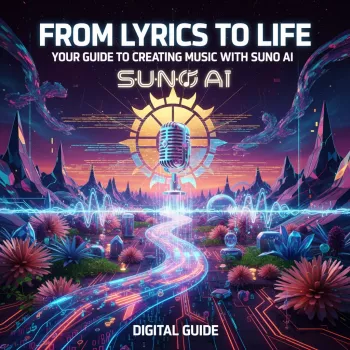
From Lyrics to Life: A Practical Guide to Making Songs with Suno AI
Turning a lyric idea into a finished track can feel like juggling writing, arrangement, and production all at once. The digital download eBook From Lyrics to Life: Your Step-by-Step Guide to Creating Music with Suno AI breaks the process into clear steps—from shaping a concept and writing lines that sing, to generating versions in Suno AI and refining what you like. It’s designed for beginners and busy creators who want a repeatable workflow for songwriting and music creation without getting lost in technical details.
What This eBook Helps You Create
This guide is built around practical outcomes—so each session ends with something you can actually share, revisit, or iterate.
- Complete songs from a short idea, a hook, or a full lyric draft
- Multiple versions of the same song to explore mood, genre, and pacing
- A simple workflow for choosing the best take and polishing it for sharing
- A repeatable system that keeps the focus on storytelling and song structure
If you also publish short-form content, pairing audio with visuals can speed up creative output. For creators who want help generating cover concepts or companion artwork, Turn Words into Art with Midjourney (AI Art Prompt Writing eBook) is a helpful add-on for building a consistent look alongside your sound.
The Step-by-Step Workflow: Idea → Lyrics → Music
The fastest path to a finished song is a controlled process that limits decision fatigue. Instead of trying to perfect everything at once, you move in passes: message, scene, structure, singable lines—then generation and selection.
- Start with a single sentence that captures the song’s message and emotional target (heartbreak, confidence, nostalgia, celebration).
- Decide the “scene” of the song: who is speaking, to whom, and what changed by the end.
- Sketch structure early (verse/chorus/verse/chorus/bridge/chorus) so the lyric has somewhere to go.
- Convert rough lines into singable phrasing by tightening syllables and making the chorus repeatable.
A Simple Song Blueprint
| Part | Purpose | Quick checks |
|---|---|---|
| Verse | Story details and setup | Clear images, steady rhythm, ends with a reason to sing the chorus |
| Chorus | Main message and hook | Memorable phrase, emotional peak, repeats cleanly |
| Bridge | Shift or reveal | New angle, higher stakes, sets up final chorus |
Writing Lyrics That Translate Well into AI-Generated Vocals
AI-generated vocals tend to reward clarity, rhythm, and repeatable phrasing. When the lyric is built like a singable script—balanced line lengths, clean hooks, vivid images—the results come back more listenable across different styles.
- Prefer concrete imagery over abstract explanations (show the moment rather than describe the feeling).
- Keep lines close in length within each section to maintain a natural cadence.
- Use internal rhyme and near-rhyme to avoid forced endings while keeping musicality.
- Create a “hook bank” of 5–10 short chorus candidates, then pick the one that still sounds good after repeating it.
A practical trick: read your chorus out loud three times in a row. If you stumble, the sung version may blur words. If it still feels punchy on repetition, it’s a strong contender for the title phrase and the emotional peak.
Creating Music with Suno AI: Generating, Comparing, and Choosing the Best Take
Once the lyric and structure are stable, the generation phase becomes a focused experiment. The goal isn’t to get a “perfect” take immediately—it’s to quickly discover what’s working (tempo, vocal vibe, energy) and then steer future versions with intention.
- Generate multiple versions for the same lyric to explore different tempos, vibes, and vocal deliveries.
- Change one variable at a time when iterating (genre, energy, instrumentation, vocal style) so improvements are easy to track.
- Listen for three essentials before anything else: the chorus lift, lyrical intelligibility, and a satisfying ending.
- Save the strongest parts of each version (intro, verse feel, chorus impact) to guide the next iteration.
Keeping notes matters. A simple log—what you changed, what improved, what broke—turns “random tries” into a repeatable system. If you like building efficient creative workflows beyond music, Cursor AI Unleashed: Your Step-by-Step Guide to Smarter Workflows can help structure your broader creation pipeline.
Version Comparison Checklist
| What to evaluate | What “good” sounds like | What to adjust next |
|---|---|---|
| Hook impact | Chorus is the peak and stays in memory | Shorten chorus lines, strengthen title phrase, raise energy |
| Vocal clarity | Words are understandable without reading | Simplify phrasing, reduce dense consonants, rework tongue-twisters |
| Arrangement | Sections feel distinct and build naturally | Add contrast in bridge, tighten intro, adjust pacing |
| Ending | Feels complete, not cut off | Add final chorus variation, add outro line, adjust structure |
Polishing the Result: Light Edits That Make a Big Difference
When sharing publicly, it’s also smart to understand the basics of copyright and licensing. The U.S. Copyright Office FAQ is a solid starting point, and ASCAP’s licensing overview gives a practical view of how music rights are commonly handled.
Who This Guide Fits Best
Digital Download Details and What to Expect
Get the full workflow here: From Lyrics to Life: Your Step-by-Step Guide to Creating Music with Suno AI (Digital Download eBook).
FAQ
Does this guide work for complete beginners?
Yes. It’s built around a clear workflow—idea, structure, lyrics, generating versions, choosing a best take, and polishing—so you can move forward without a production background.
How can a lyric be improved if the vocal delivery sounds unclear?
Shorten lines, simplify consonant-heavy phrases, and keep syllable counts more consistent within each section. Strengthen chorus repetition and iterate one change at a time so you can hear what helped.
What’s the fastest way to get better results when generating multiple versions?
Generate several takes, then evaluate them using a consistent checklist (hook, clarity, arrangement, ending). Change only one variable per iteration and keep quick notes on what improved the result.

Leave a comment